
TL;DR
MagSafe accessories have grown far beyond simple charging pucks. The best options in 2026 span multi-device charging stations, car mounts, laptop holders, wallets, and battery packs. For nightstand setups, a multi-function station that bundles charging with a speaker and night light replaces three separate gadgets. For work, a magnetic laptop phone holder unlocks Apple Continuity Camera and dual-screen productivity. This guide covers 10 picks organized by when you’ll actually use them, plus a breakdown of MagSafe vs. Qi2 certification and the most common problems people run into.
At-a-Glance Comparison Table
| Product | Category | Best For | Price Range | Certification | Standout Feature |
|---|---|---|---|---|---|
| Voltiva Labs 5-in-1 Charging Station | Multi-device charger | Desk users with Apple ecosystem | ~$59.99 | MagSafe-style magnetic | 5 devices at once, 33W adapter included |
| Voltiva Labs 6-in-1 Charger Speaker | Charger + speaker + light | Bedside all-in-one setup | ~$69.99 | MagSafe-style magnetic | Bluetooth 5.4 speaker + touch night light |
| Twelve South HiRise 3 Deluxe | 3-in-1 stand | Premium desk setup | ~$99–$130 | Made for MagSafe | StandBy mode, compact build |
| ESR HaloLock 3-in-1 CryoBoost | 3-in-1 desk charger | Speed-focused charging | ~$56–$70 | Qi2 certified | Active cooling fan |
| Anker MagGo 3-in-1 | Foldable travel charger | Frequent travelers | ~$28–$88 | Qi2 certified | Folds flat for portability |
| Voltiva Labs Magnetic Laptop Phone Holder | Laptop mount | Remote workers, students | Per product page | MagSafe-style magnetic | Continuity Camera, 2.5mm thin |
| Voltiva Labs MagSafe Phone Holder Stand | Desk stand | General desk use | Per product page | MagSafe-style magnetic | Adjustable viewing angles |
| MOFT Snap Wallet/Tripod | Wallet + stand | Minimal everyday carry | ~$30–$40 | Magnetic grip | 0.2" thin, origami tripod |
| PopSockets MagSafe PopGrip | Grip + stand | Phone handling comfort | ~$30 | Magnetic grip | Interchangeable tops |
| INIU Snap Go 10K | Battery pack | All-day power on the go | ~$70 | Qi2 25W | Digital display, ultra slim |
What Is MagSafe? A Quick Primer
MagSafe for iPhones debuted with the iPhone 12 in 2020. It’s a ring of magnets built into the phone that snaps accessories into perfect alignment. Every iPhone since the 12 supports it, with the exception of the iPhone SE and iPhone 16e (the 2026 iPhone 17e brought the magnets back).
The technology does two things: it holds accessories in place magnetically, and it enables faster wireless charging through precise coil alignment. Without that alignment, standard Qi charging tops out at 7.5W. With MagSafe, you get 15W, and with the newer Qi2.2 standard on iPhone 17, up to 25W.
Qi2 is the open wireless charging standard developed by the Wireless Power Consortium based on Apple’s MagSafe technology. It brings the same magnetic alignment to Android phones. The Samsung Galaxy S25 and S26 series, Google Pixel 10, and OnePlus 13 all support Qi2, though Samsung devices need a magnetic case while Pixel 10 models have built-in magnets.
MagSafe vs. Qi2: What Actually Matters When Buying Accessories
This distinction trips up most buyers. A charger labeled “Made for MagSafe” (MFM) has passed Apple’s certification and delivers the full 15W or 25W. A charger labeled “MagSafe-compatible” simply has magnets for alignment but often charges at the slower 7.5W Qi speed. That’s a small wording difference with a huge impact on charging time.
Here’s the certification hierarchy:
- MFM (Made for MagSafe): Apple-certified. Full 15W or 25W delivery with flawless alignment.
- Qi2 Certified: Meets the open standard. Supports 15W; Qi2.2 supports 25W. Real-world testing shows Qi2 charges 8-11% faster than MagSafe in typical scenarios.
- “MagSafe-compatible”: Has magnets, but no certification. Often limited to 7.5W.
One more thing: the iPhone 17 requires a 30W+ PD 3.0 or 3.1 adapter to hit 25W wireless charging speeds. If you’re using the old 5W brick from a few years ago, even a certified charger won’t perform. A multi-charging adapter kit with proper PD output makes a real difference here.
Morning and Nightstand MagSafe Accessories
1. Voltiva Labs 6-in-1 Magnetic Wireless Charger Speaker
Best for: Replacing your nightstand clutter with one device
- Price: ~$69.99
-
Key features:
- Charges iPhone, Apple Watch, and AirPods simultaneously
- Built-in Bluetooth 5.4 speaker for alarms, podcasts, or ambient sound
- Touch-activated night light
- 33W adapter included in box
- Why it stands out: No competitor in the charging station space bundles a quality speaker and night light with multi-device charging. Most 3-in-1 stations from major brands do exactly one thing: charge. This turns your nightstand into a single hub that replaces a separate speaker, lamp, and charging setup.
- Tradeoffs: Not MFM-certified (MagSafe-style magnetic alignment). The speaker won’t rival a dedicated Bluetooth speaker for audiophile listening. Bulkier footprint than a simple charging puck.
Users on MacRumors forums consistently cite the bedside charger as one of the top three MagSafe use cases, alongside car mounts and wallets. A station that adds speaker and light functionality addresses what people actually want at the nightstand.
Check out the 6-in-1 charger speaker for your nightstand setup.
2. Voltiva Labs 5-in-1 Magnetic Wireless Charging Station
Best for: Families or heavy Apple ecosystem users who need to charge five devices at once
- Price: ~$59.99
-
Key features:
- Five charging spots for iPhone, Apple Watch, AirPods, and additional devices
- 33W adapter included
- Compact enough for a desk or nightstand
- Why it stands out: Most competing stations top out at three devices. If your household has an Apple Watch, AirPods, and two iPhones (or an iPhone plus an Android with Qi2), this handles the lot without daisy-chaining multiple chargers.
- Tradeoffs: No built-in speaker or night light (the 6-in-1 model covers that). Not MFM-certified. Five devices charging simultaneously means slightly slower speeds per device depending on total power draw.
If you’re setting this up for the first time, the step-by-step setup guide walks through optimal placement for each device.
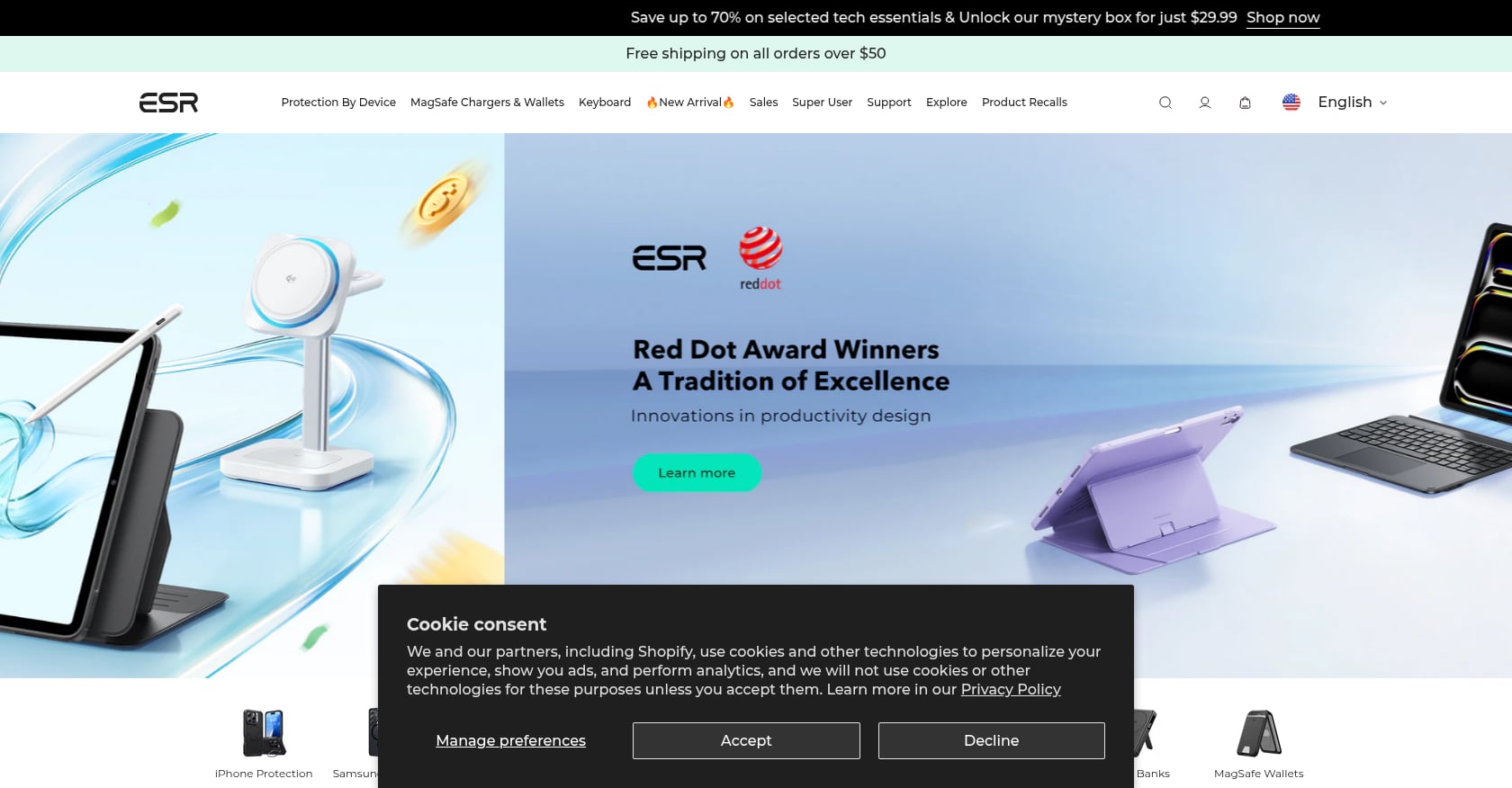
3. ESR HaloLock 3-in-1 with CryoBoost
Best for: Users who prioritize charging speed above all else
- Price: ~$56–$70
-
Key features:
- Qi2 certified for full-speed charging
- Built-in active cooling fan (CryoBoost)
- Charges iPhone, Apple Watch, and AirPods
- Supports iPhone StandBy mode
- Why it stands out: Heat is the enemy of fast wireless charging. When temperatures rise, your phone throttles charging speed to protect the battery. The ESR is the only major 3-in-1 station that uses active cooling to keep temperatures down, which means it sustains higher wattage for longer.
- Tradeoffs: The cooling fan produces a faint hum, which may bother light sleepers. No extra features beyond charging. Premium pricing compared to non-cooled alternatives.
Commute and Car MagSafe Accessories
1. Qi2 Magnetic Car Vent Mount
Best for: Drivers who want one-hand phone mounting with actual charging
- Price: ~$30–$55 for quality Qi2 models
-
Key features:
- Magnetic snap-on attachment, no clips or clamps
- Qi2 charging at up to 15W (look for certified models)
- Vent clip or dashboard options
- Why it stands out: A magnetic car mount is the MagSafe accessory that converts skeptics. Snap your phone on, navigation starts, charging begins. No fumbling.
- Tradeoffs: Most cheap “MagSafe car mounts” don’t actually charge at all. They’re just magnets. Car USB-A ports deliver only 5V/1A, which can’t provide the 9V/2.22A PD handshake that MagSafe requires. You need a proper PD car charger. Long or cheap cables cause voltage drop, especially during vibration.
Practitioners on Reddit and automotive forums report that car mount charging failures are almost always a power supply issue, not a mount issue. If your phone charges slowly or not at all in the car, check the adapter first.
2. INIU Snap Go 10K Battery Pack

Best for: All-day power without wall access
- Price: ~$70
-
Key features:
- 10,000 mAh capacity
- Qi2 25W wireless charging support
- Digital display showing remaining charge
- Ultra-slim profile (nearly half the thickness of competing 10K banks)
- Why it stands out: It supports the latest Qi2 25W standard, meaning it can fast-charge iPhone 17 wirelessly while magnetically stuck to the back of your phone. The digital display is a small but meaningful upgrade over LED dot indicators.
- Tradeoffs: At $70, it’s more expensive than non-magnetic battery packs with similar capacity. Adding 10,000 mAh to the back of your phone makes it noticeably heavier. Wireless charging is inherently less efficient than wired, so you’ll lose some capacity to heat.
Work and Desk MagSafe Accessories
1. Voltiva Labs Magnetic Laptop Phone Holder
Best for: Remote workers and students who want dual-screen productivity
- Price: See product page
-
Key features:
- Ultra-thin 2.5mm profile
- Works with Apple Continuity Camera (use your iPhone as a MacBook webcam)
- Compatible with Apple Sidecar for iPad users
- Strong magnetic hold for daily repositioning
- Why it stands out: This is a growing category driven by remote work. Mounting your phone next to your laptop screen means you can see notifications, use Continuity Camera for video calls, or reference your phone without picking it up. At 2.5mm thin, it doesn’t add bulk to your laptop bag.
- Tradeoffs: Adhesive placement on the laptop is a one-shot decision, so measure carefully. Curved laptop lids can reduce contact area. Not ideal for very heavy phones with thick cases.
User feedback across forums consistently flags magnet strength as the make-or-break factor for laptop mounts. A phone sliding off during a video call is not a great look.
See the magnetic laptop phone holder for your work setup.
2. Voltiva Labs MagSafe Phone Holder Stand
Best for: Clean desk setups with adjustable viewing angles
- Price: See product page
-
Key features:
- Magnetic snap-on alignment
- Adjustable angles for portrait and landscape
- Works as a FaceTime/video call stand
- Why it stands out: A dedicated MagSafe stand keeps your phone at eye level while working, which is better for posture and reduces the habit of picking up your phone every time a notification arrives. StandBy mode on iOS 17+ turns a docked iPhone into a smart display showing clocks, widgets, or photos.
- Tradeoffs: Doesn’t charge (it’s a holder, not a charger). If you want charging and holding, pair it with a charging station instead.
For answers to common questions about magnetic stands, the magnetic wireless charging stand FAQ covers compatibility and use cases.
3. Wireless Charging Mouse Pad
Best for: Desk warriors who want invisible charging
A wireless charging mouse pad embeds a charging coil into your work surface so your phone charges just by sitting on your desk. No extra stand, no extra cables.
This category is still niche. Most options charge at Qi speeds (5-7.5W) rather than full MagSafe speeds, so it’s better for maintaining charge throughout the day than for rapid top-ups. If you spend 8 hours at a desk, the slow speed doesn’t matter because your phone sits there all day anyway.
A wireless charging mouse pad is worth considering if desk space is at a premium and you want fewer visible gadgets.
Evening and Lifestyle MagSafe Accessories
1. MOFT Snap Wallet and Tripod Stand
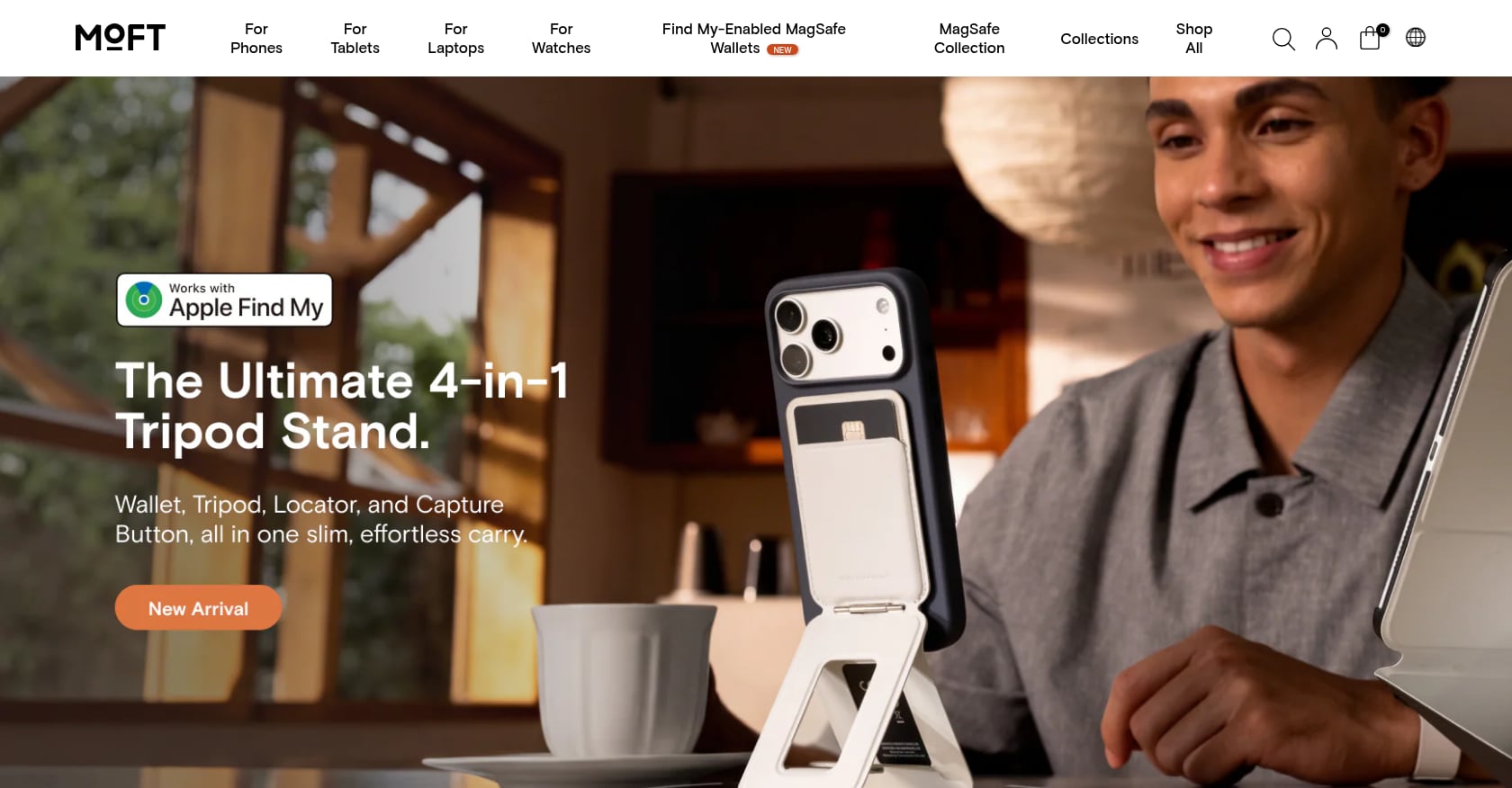
Best for: Minimalists who want a wallet and kickstand in one slim package
- Price: ~$30–$40
-
Key features:
- 0.2 inches thin
- Origami fold transforms into a portrait or landscape tripod
- Vegan leather finish
- Holds 2-3 cards
- Why it stands out: MOFT’s origami design is genuinely clever. It lies nearly flat on the back of your phone, then unfolds into a surprisingly sturdy stand. For video calls, recipe viewing, or watching something on a flight, it eliminates the need for a separate stand. The vegan leather ages well and looks professional.
- Tradeoffs: Only holds 2-3 cards (don’t try to replace your full wallet). The stand works best on flat, hard surfaces. Magnetic hold is weaker than a case-integrated wallet, so it can slide off during aggressive pocket extraction. Adding a wallet on the back means your phone won’t sit flush on flat wireless chargers.
2. PopSockets MagSafe PopGrip
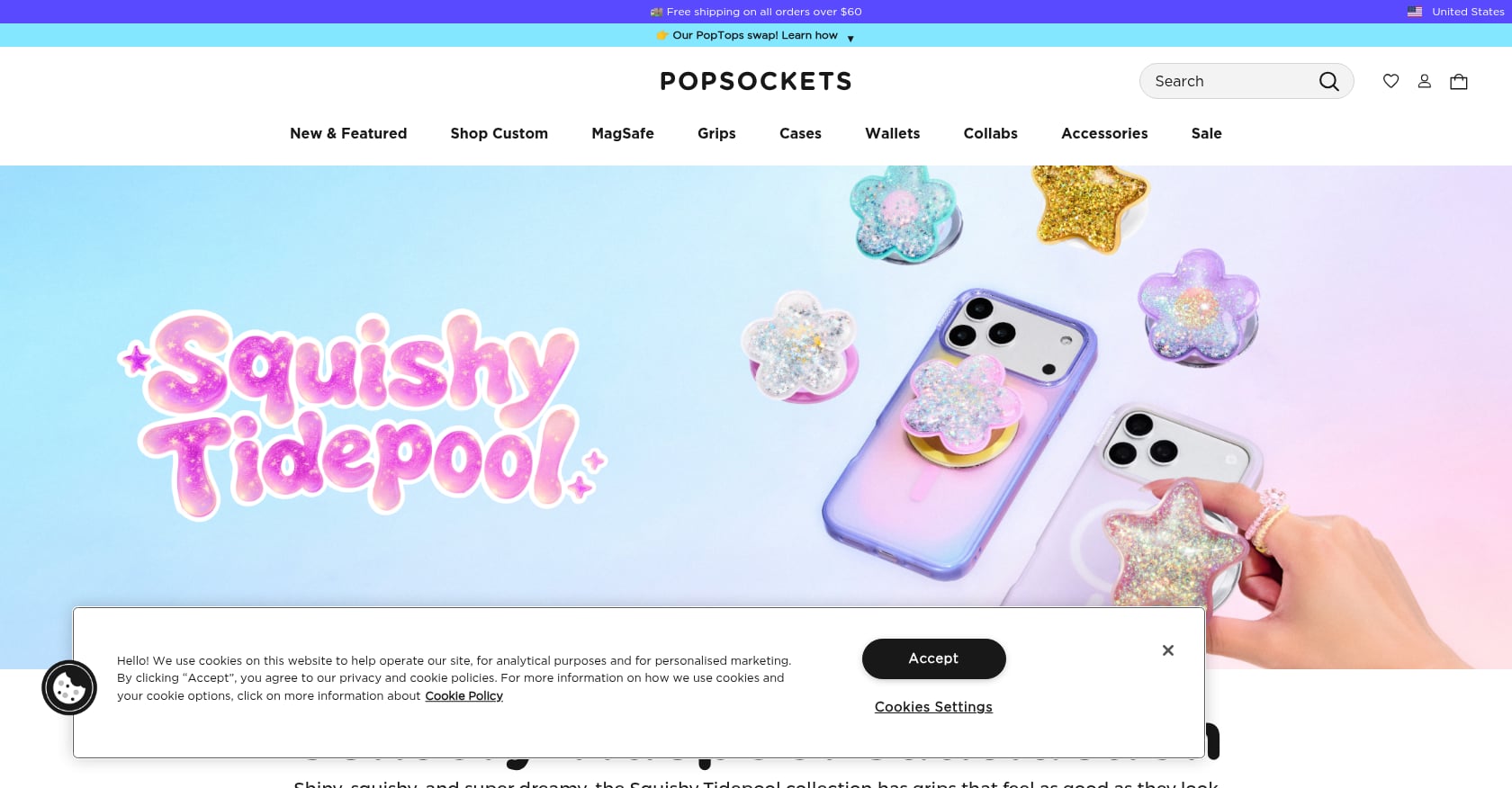
Best for: People who drop their phone more than they’d like to admit
- Price: ~$30
-
Key features:
- Magnetic snap-on (no adhesive needed)
- Pop out for grip, collapse flat for pockets
- Interchangeable decorative tops
- Works as a basic portrait stand
- Why it stands out: Over 100 million PopSockets have been sold globally, and the MagSafe version solves the original’s biggest flaw: permanence. Snap it on when you need the grip, pop it off when you want to charge wirelessly. The interchangeable tops are a fun personalization touch.
- Tradeoffs: Doesn’t hold cards like a wallet. The collapsed grip still adds a bump that prevents flat resting. Some users on Reddit report the magnetic hold isn’t strong enough for vigorous one-handed use without a case that has strong magnets.
Bonus: Creative MagSafe Accessories Worth Knowing About
Most MagSafe accessories fall into predictable categories: chargers, wallets, grips, mounts. But a few interesting outliers exist.
A water bottle with a magnetic phone holder combines hydration with hands-free phone viewing, which is surprisingly useful in kitchens or at gym. And for something purely fun, a levitating lamp with wireless charger doubles as a conversation-starting desk piece that charges your phone.
These won’t be everyone’s cup of tea, but they show how magnetic accessories are expanding beyond the obvious.
How to Choose the Right MagSafe Accessories
Not all magnetic accessories are equal. Here’s what to check before buying:
Magnet strength matters. Lab tests show that 68% of third-party cases fail to meet Apple’s magnetic strength standards. Cheap cases average 900-1,200 gauss versus Apple’s 1,500+ gauss. If your accessories feel loose or misalign during charging, the case is likely the culprit. Aim for cases with at least 1,450 gauss.
Case thickness affects charging. Cases under 2.1mm with precision-cut charging coils maintain 92-95% of bare-phone efficiency. Thicker cases, or those with poorly aligned magnet arrays, can reduce charging speeds by up to 45%.
Match your adapter to your charger. A 15W MagSafe charger needs at least a 20W adapter. The 25W Qi2.2 chargers on iPhone 17 need a 30W+ PD adapter. Using an underpowered adapter is the most common reason people think their charger is broken.
Certification matters for chargers, less so for mounts. For anything that delivers power, look for the MFM badge or official Qi2 logo. For passive accessories like grips, wallets, and mounts, certification is irrelevant. You just need strong magnets.
For a deeper look at eliminating cable clutter, this guide covers charging without separate cables.
Common MagSafe Problems and How to Fix Them
Weak magnetic connection. First, check your case. If it’s thick, cheap, or not designed for MagSafe, the magnets can’t make strong contact. Try removing the case and testing bare. Also clean the back of your phone and the charger surface, as debris reduces grip.
Slow charging speeds. Verify your adapter wattage (20W minimum for 15W MagSafe, 30W+ for 25W Qi2.2). Then check whether your charger is actually MFM-certified or just “MagSafe-compatible.” The compatible versions often cap at 7.5W.
Overheating during charging. Heat is normal during wireless charging, but excessive heat triggers throttling. Active cooling chargers like the ESR CryoBoost help. Removing your case during fast charging sessions also reduces temperature. Avoid charging in direct sunlight or on soft surfaces that trap heat.
Car mount charging failures. Car USB-A ports output 5V/1A, which simply cannot power MagSafe charging. You need a dedicated PD car charger plugged into the 12V socket. Short, quality USB-C cables also prevent the voltage drop that long cables cause.
Watch magnetization (niche but real). Mechanical watch enthusiasts on WatchUSeek forums report that while the iPhone itself puts out around 50 gauss, some MagSafe cases and accessories emit 120+ gauss. That’s enough to magnetize a mechanical watch movement. If you wear an automatic or mechanical watch, keep your MagSafe accessories and phone away from the watch when not on your wrist.
FAQ
Do MagSafe accessories work with Android phones?
Yes, through the Qi2 standard. The Samsung Galaxy S25/S26 series, Google Pixel 10, and OnePlus 13 all support Qi2 magnetic charging. Samsung phones need a magnetic case for snap-on alignment, while the Pixel 10 has built-in magnets (Google calls it PixelSnap). Any magnetic accessory (wallet, grip, mount) will attach to a Qi2-compatible phone, though charging speeds depend on the phone and charger certification.
Is MagSafe the same as Qi2?
Not exactly. MagSafe is Apple’s proprietary implementation. Qi2 is the open standard built on MagSafe’s technology, developed by the Wireless Power Consortium. They use the same magnetic alignment concept and are largely cross-compatible. The newer Qi2.2 standard adds support for up to 25W charging, matching the iPhone 17’s capabilities.
Will MagSafe magnets damage my credit cards?
The magnets in MagSafe accessories can demagnetize the magnetic stripe on credit cards. Apple designed the MagSafe wallet with shielding to protect cards, but sticking a bare credit card between your phone and a magnetic mount is a bad idea. Chip and NFC payment cards are not affected by magnets, only the magnetic stripe.
Can I use a MagSafe charger with a non-MagSafe case?
You can, but expect slower charging and weaker magnetic hold. A regular case without MagSafe magnets forces the charger to operate at standard Qi speeds (typically 7.5W or less) because alignment isn’t precise enough for the higher-speed MagSafe protocol. Cases thicker than 2.1mm may prevent charging entirely.
What’s the difference between “Made for MagSafe” and “MagSafe-compatible”?
“Made for MagSafe” (MFM) means Apple has certified the accessory for full-speed 15W or 25W charging with guaranteed alignment. “MagSafe-compatible” means the product has magnets that snap to your phone, but it hasn’t been certified and often charges at only 7.5W. For chargers, this distinction matters a lot. For passive accessories like mounts and grips, it’s less important.
Do I need a special power adapter for MagSafe charging?
Yes. A 15W MagSafe charger needs at least a 20W USB-C PD adapter. The new 25W Qi2.2 chargers require a 30W+ PD 3.0 or 3.1 adapter. Using the wrong adapter is the single most common reason for slow MagSafe charging. Many people plug a certified MagSafe charger into an old 5W adapter and wonder why it’s slow.
How do I know if my phone case is weakening my MagSafe connection?
Try the bare phone test. Remove your case and attach a MagSafe accessory. If the magnetic grip is noticeably stronger without the case, your case is the problem. Look for cases specifically rated for MagSafe with magnet strength of at least 1,450 gauss. Cases over 2.1mm thick or with metal plates will almost always degrade performance.
Can I charge multiple devices on one MagSafe station?
Yes. Multi-device stations (3-in-1, 5-in-1, and 6-in-1 models) are designed for exactly this. They typically include separate charging spots for iPhone, Apple Watch, and AirPods, with some models adding extra Qi pads or USB ports. The total power output is shared, so check that the included adapter delivers enough wattage for simultaneous charging.
Browse all magnetic accessories from Voltiva Labs to find the right MagSafe setup for your daily routine.